Espoma Social Media Guide
Share With Us!
We love to see what you share with your customers. Anytime you feature any of our products please share it with us.
Simply tag us @EspomaOrganic in any appropriate content across your social platforms.
We love to share your content with our audience!
Tagging Espoma in Instagram Posts | Mentioning Espoma on Instagram | Tagging Espoma on Instagram Stories | How to Add Espoma Stickers | Tagging Espoma on Instagram Reels
- Instagram
- Facebook
- YouTube
Tagging Espoma in Instagram Posts | Mentioning Espoma on Instagram | Tagging Espoma on Instagram Stories | How to Add Espoma Stickers | Tagging Espoma on Instagram Reels
Tagging Espoma in Instagram Posts
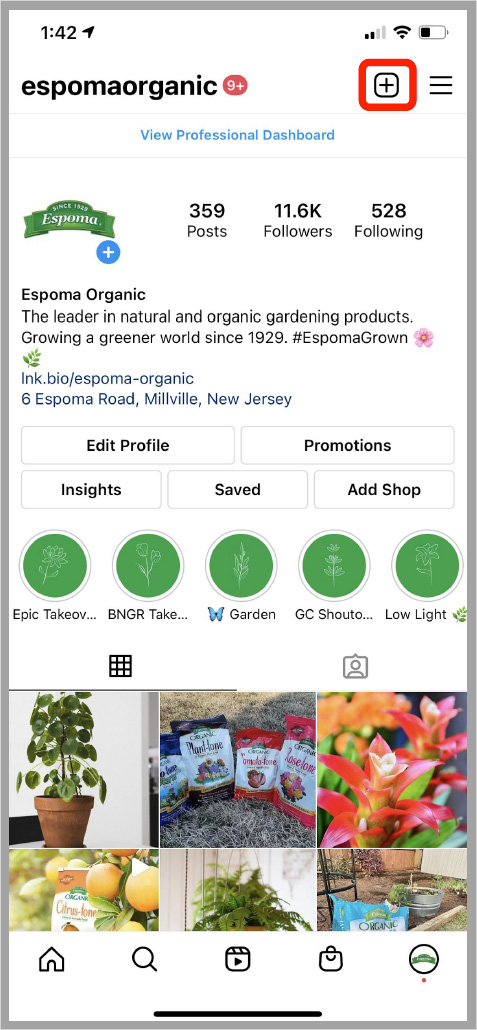
1. Click the “+” sign on your profile page to open the menu for posting.
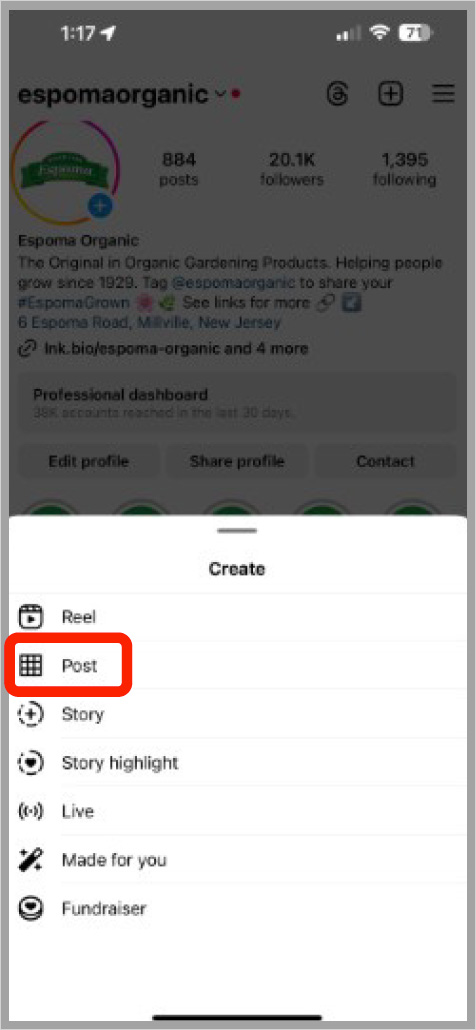
2. Select “Post” from the list.
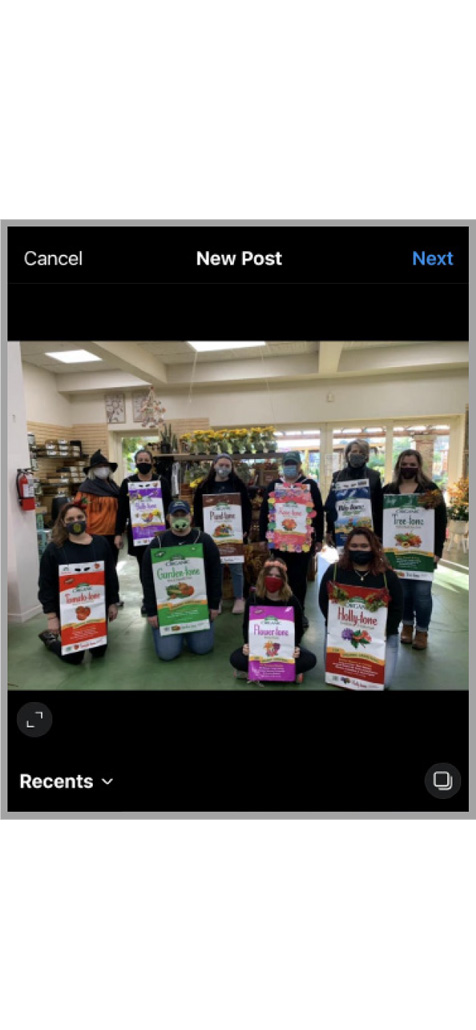
3. Choose the photo you plan to share.
4. On the page for writing a caption, select “Tag People” in the menu.
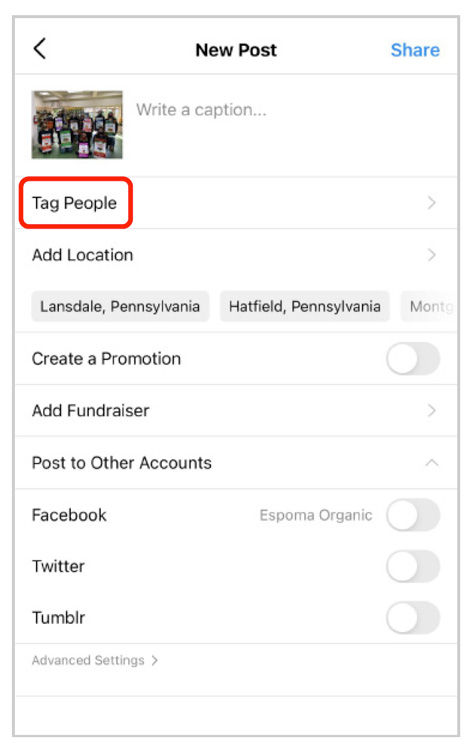
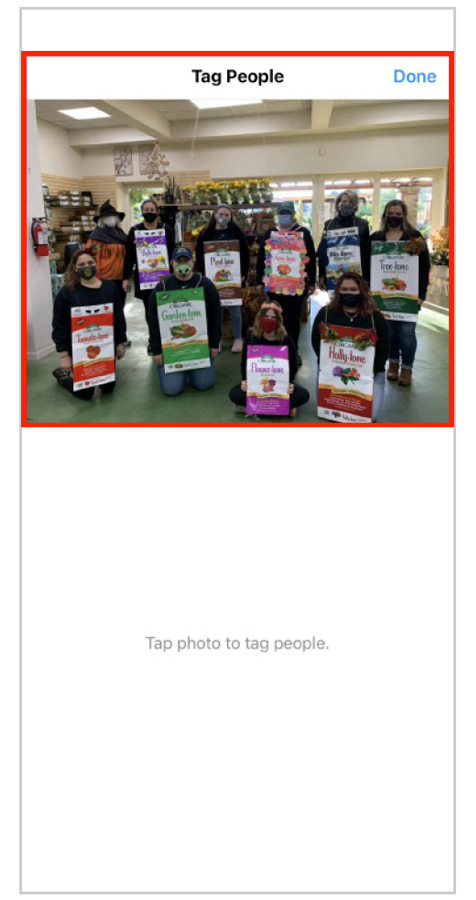
5. Tap the photo to tag Espoma.
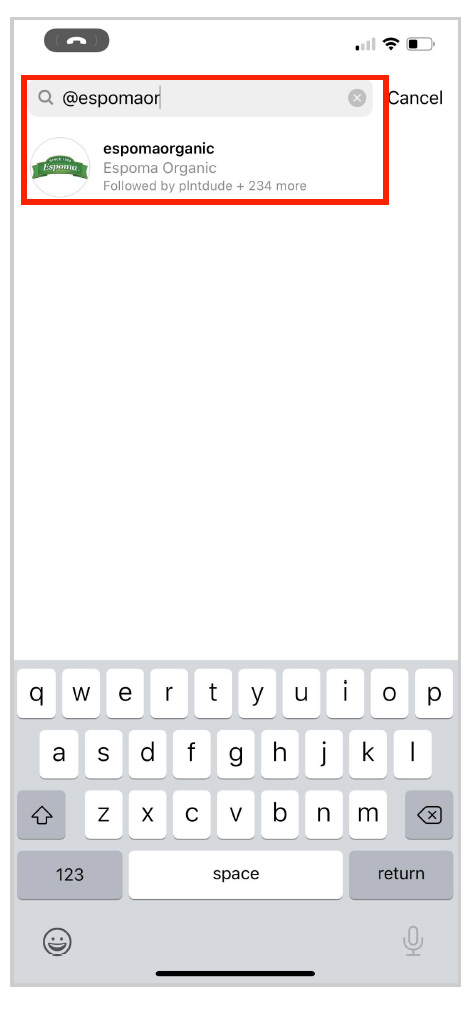
6. Begin typing @Espoma and select the account from the list.
Mentioning Espoma on Instagram
1. Once you have selected your content to share on Instagram, begin to write your caption.
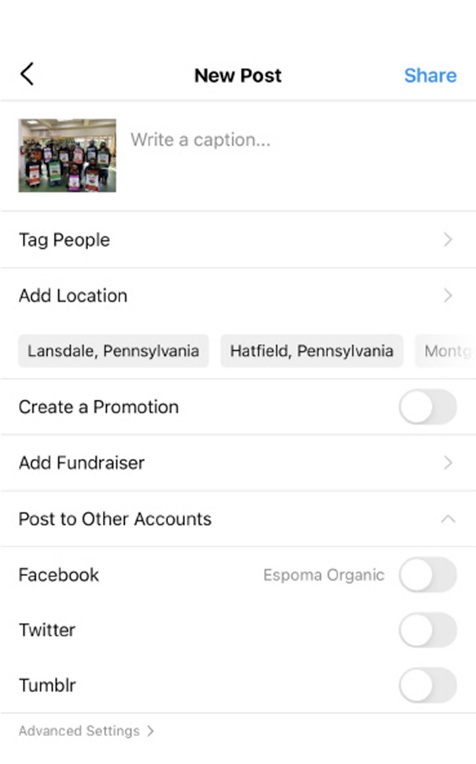
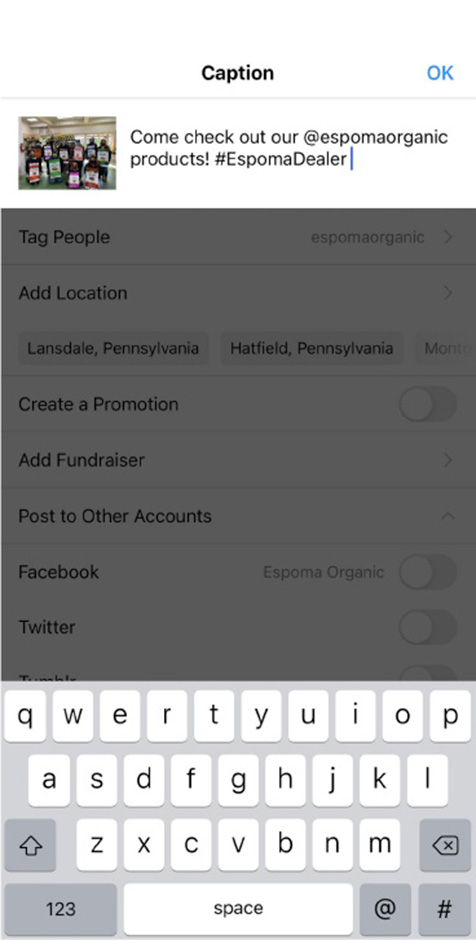
2. Within the caption, include “@Espomaorganic” and select it from the account list.
Use #EspomaDealer at the end of the caption so Espoma can find your content for sharing.
Tagging Espoma on Instagram Stories
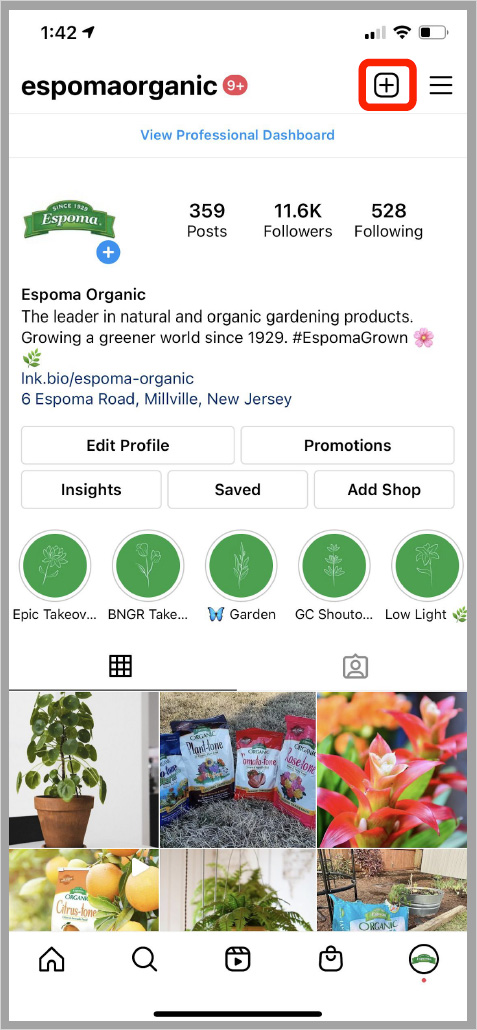
1. Click the “+” sign on your profile page to open the menu for posting.
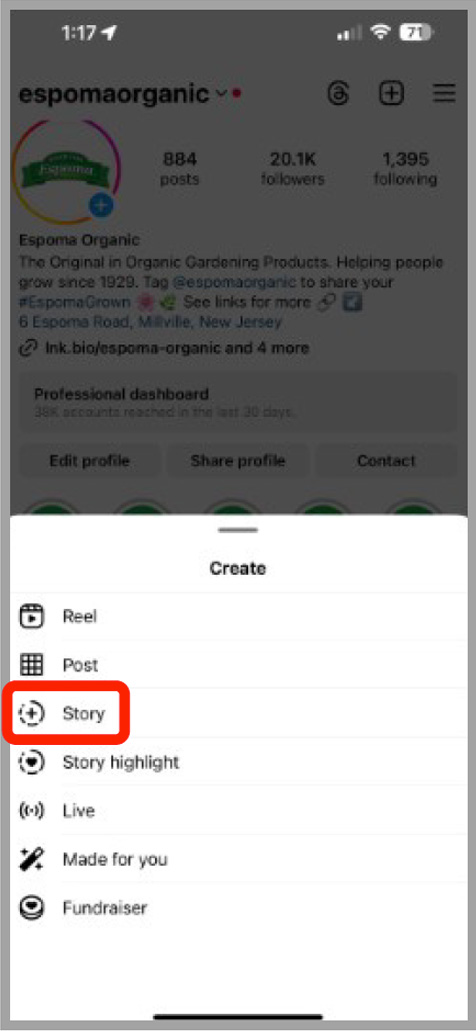
2. Select “Story” from the list.
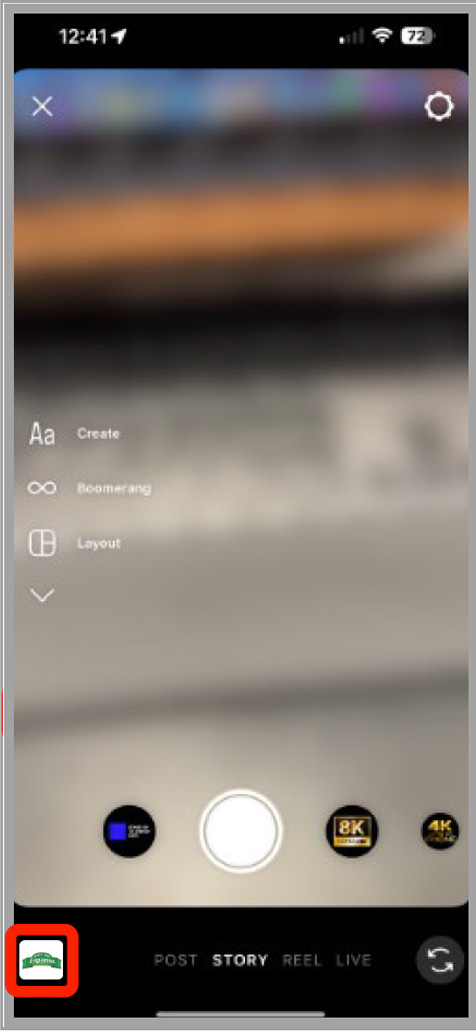
3. Click the icon in the lower left corner to select your image or take a new photo for the story.
4. Select your content.
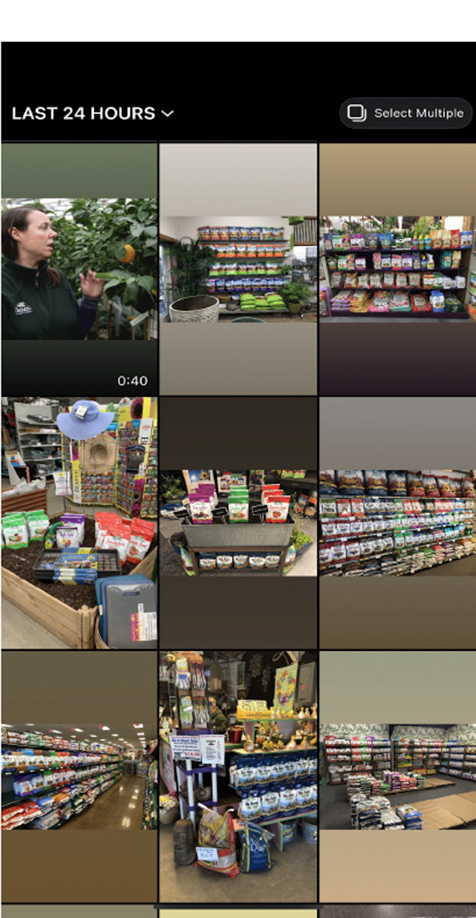
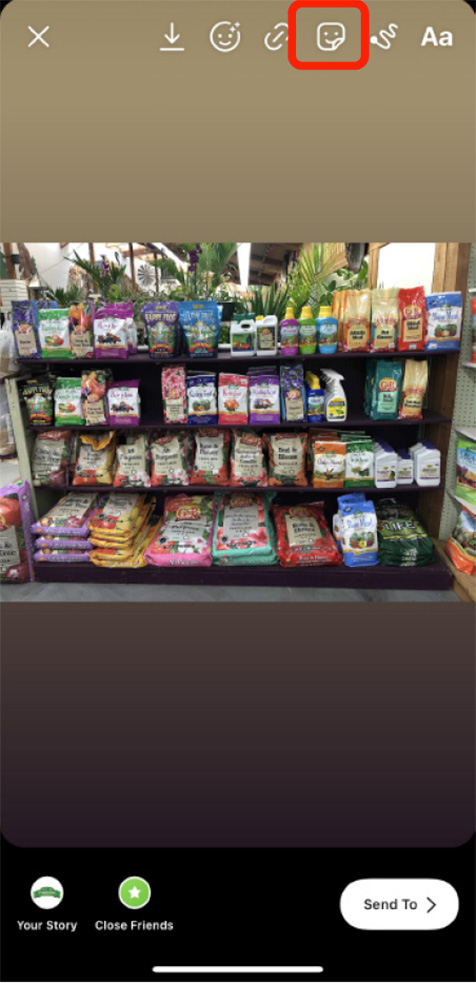
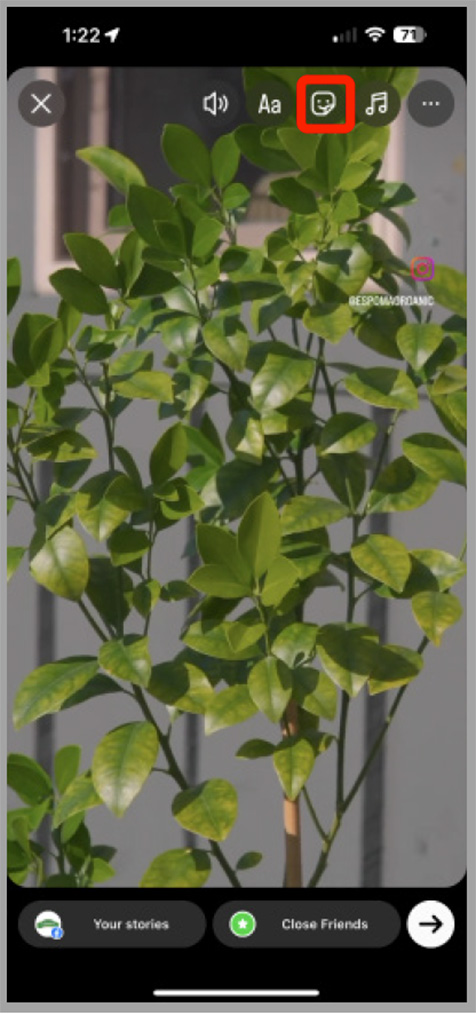
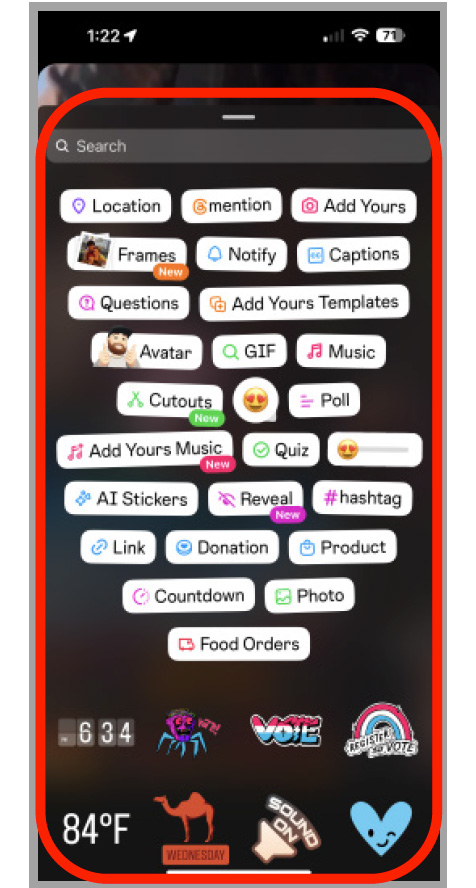
5. After selecting your content, click on the “Sticker” icon, 3rd icon from the right in the top menu bar.
6. Select “@Mention” and type in “espomaorganic” to select the correct handle to tag Espoma in the content.
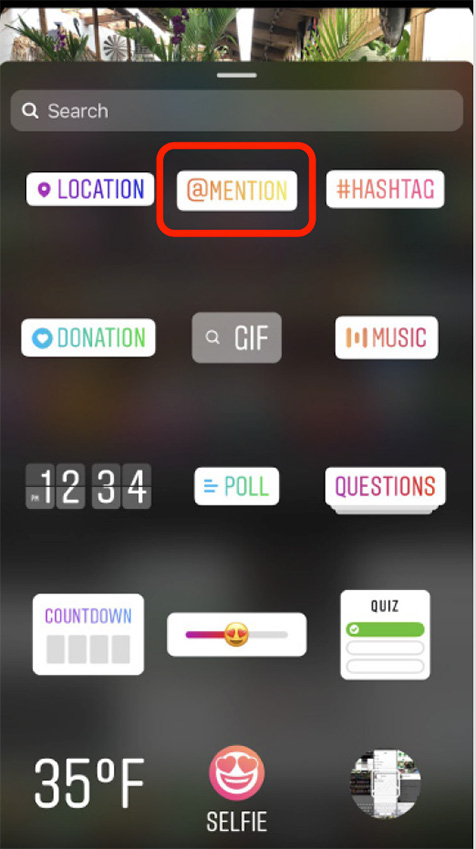
7. Select “@Mention” and type in “espomaorganic” to select the correct handle.
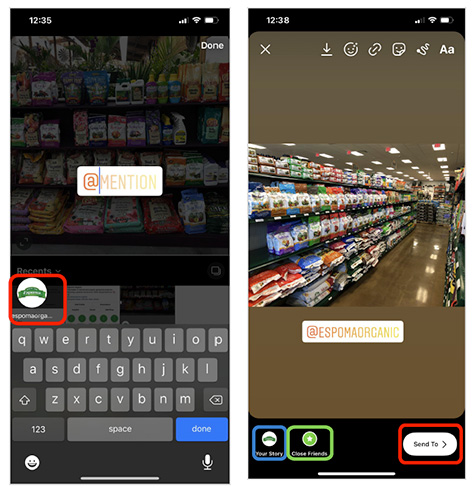
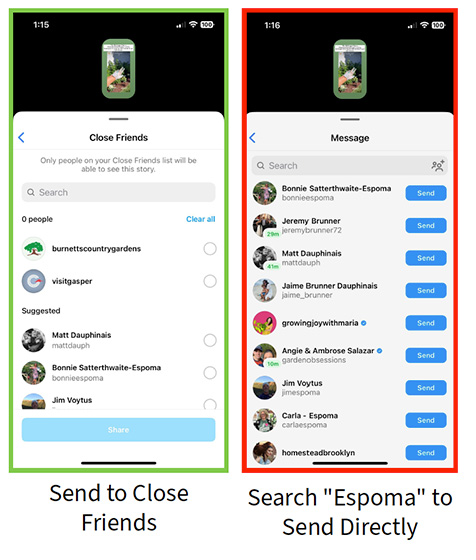
8. Click on “Your Story” in the bottom left to add the post to your story. Click “Close Friends” to send to people on your close friends list. Click “Send To” to send it directly to Espoma.
How to Add Espoma Stickers!
1. Select how to share your content and locate the sticker icon.
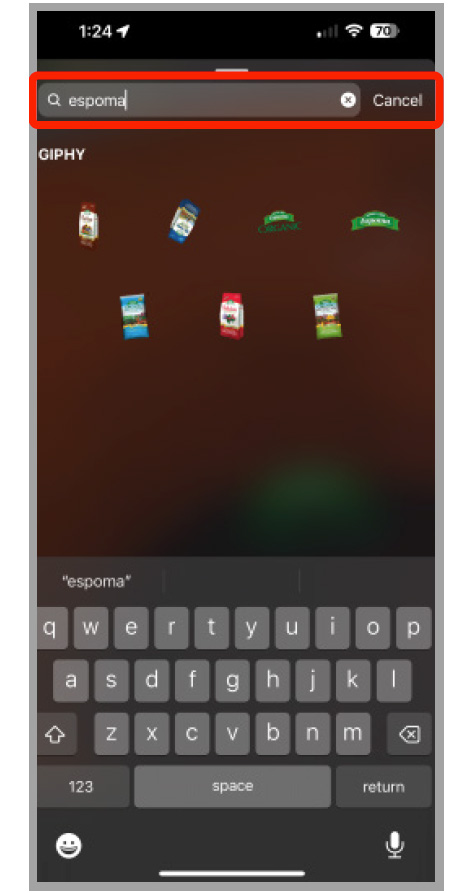
2. Search for Espoma.
3. Select your sticker, position and resize the sticker to your liking.
Tagging Espoma on Instagram Reels
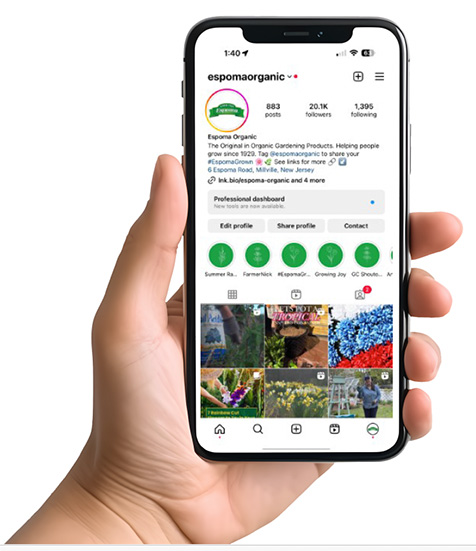
1. Open Instagram on mobile. Navigate to the Reels icon. Upload and edit your Reel.
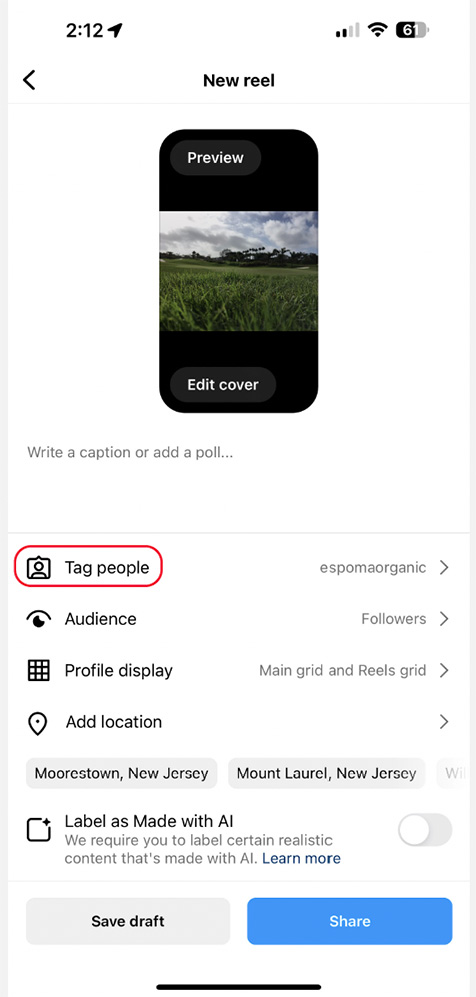
2. Click “Tag people.”
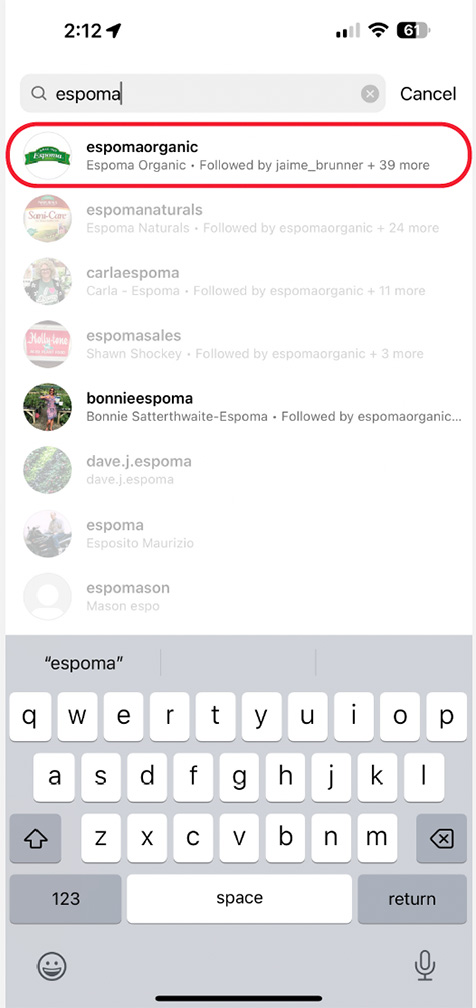
3. Search for “Espoma Organic.”
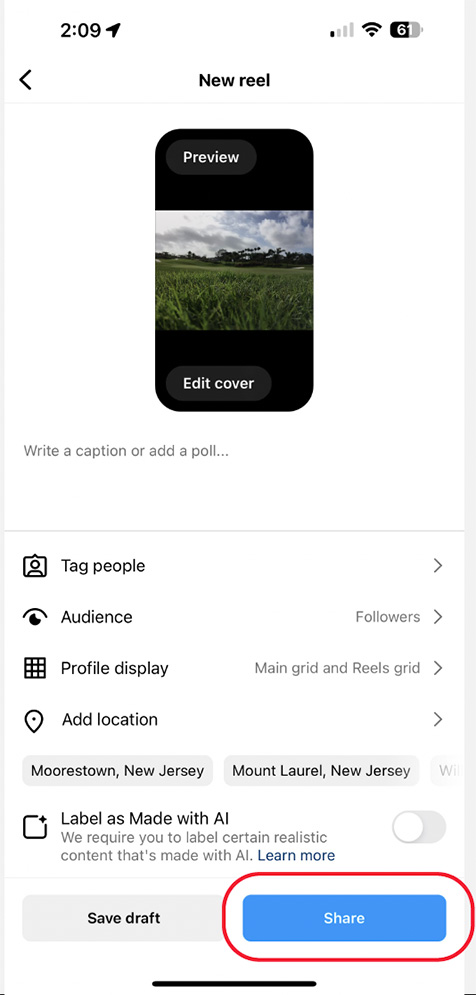
4. Once you have added your tags you can share your Reel.
Mentioning Espoma on Facebook
1. Create your caption and include “@EspomaOrganic.” This will prompt a drop-down menu where you can select the channel name.
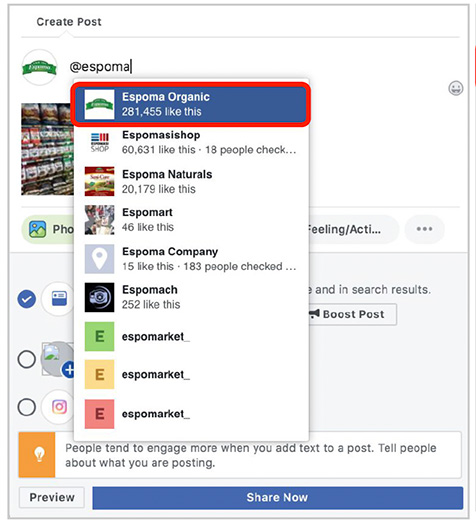
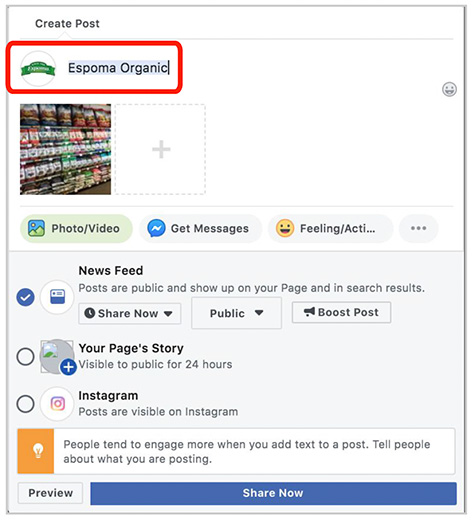
2. Click on the channel name so Espoma receives a notification that they have been tagged in your content. Once your caption is completed, click “Share Now” to share your content.
Tagging Espoma on Facebook
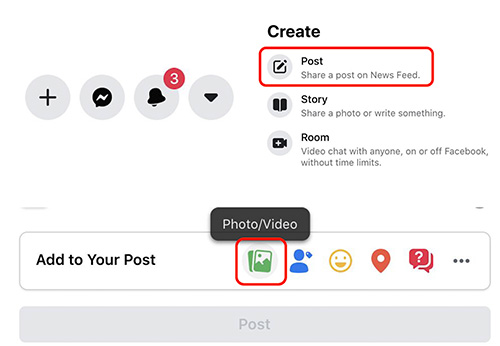
1. Click the “+” sign in the top right corner of your screen.
2. Select “Post” from the list.
3. To the right of “Add to Your Post”, select the green photo/video option.
4. Select the photo that you would like to share.
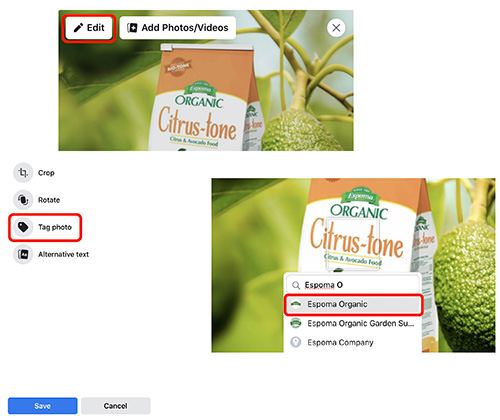
5. Hover over the photo and click on the “Edit” button in the top left corner of the image.
6. Select “Tag Photo” from the options on the left hand side.
7. Click on the Espoma Product in the image, begin typing Espoma, and select the account from the list.
Tagging Espoma in YouTube Descriptions
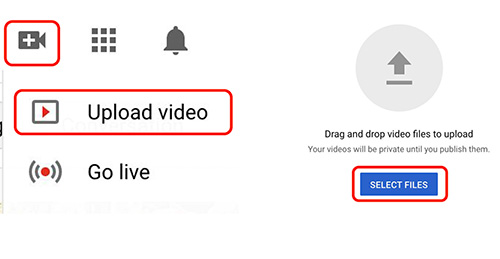
1. Click the camera icon with the “+” sign inside of it in the top right corner.
2. Select the “Upload Video” option.
3. Click select file and choose the content that you would like to upload to YouTube.
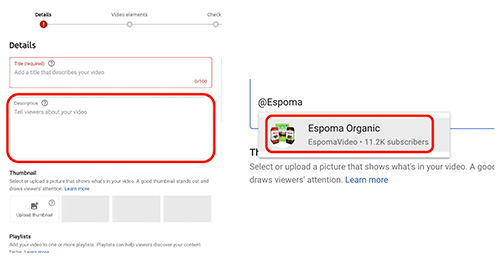
4. After uploading your video content, give your video a title and then click into the description field.
5. Begin typing “@Espoma Organic” and the account will pop up.
6. Click on the account in order to tag us in your YouTube description.